Power Search
Run a Scryfall-style query across your own collection, your friends' and your groups', and see which of the cards your deck needs are already in the room.

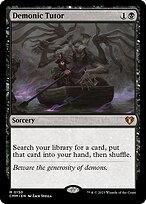
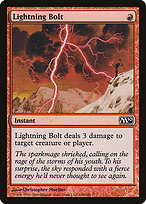
You're putting together a Commander deck. The list lives in Moxfield, Archidekt, or a paper notebook on the kitchen table. You've got fifty cards left to find. Some of them are sitting in your binder right now. Some are sitting in your friend's binder. Some you'll have to buy. The first question — and the one most tools skip — is: which of these do I already own?
MTG Burrow's Power Search answers that question. It is not a deck-construction interface. The site does not let you assemble or store decks; the deck construction stays wherever you already do it. What MTG Burrow does is search your MTG collection (and, optionally, your playgroup's) for the cards your decklist references, so the next box you open at game night is for the cards you actually need to acquire — not the ones sitting in your friend's commander deck pile.
Search collection for deck cards across owned and group binders
The flow is straightforward. Sign in, open Power Search, and run a query. Queries support the same Scryfall-style syntax used elsewhere on the site (t:dragon mv<=4, o:"draw a card", is:commander color:wu), so a search for the cards your deck needs maps cleanly to the way you already think about Magic. The results are scoped to your collection by default: every card you own that matches the query, with the printing and quantity you have. Switch to the group scope and the same query searches across every collection in your playgroup, telling you which friend has the Cyclonic Rift you can borrow or trade for.
This is what searchers using "MTG deck builder from collection" or "Commander deck builder owned cards" are actually looking for: not another decklist editor (Moxfield and Archidekt already do that well), but a way to find cards from collection MTG resources they already control. If you're using an MTG deck builder like Moxfield, Power Search is the missing layer between the list and the binder.
Compare what you own against what your decklist needs
Bring a list, see the gap. The search page's other mode, Bulk Search, takes a pasted card list — one card per line, quantities optional — and splits it into three sections: the cards you already own, the cards a friend or a group you searched can supply, and the cards nobody wired into the search has. The third section is the one you actually buy, and it carries a ManaPool link for the whole list.
Bulk Search is auth-gated because it reads your private collection, but the workflow is the central value proposition: list → search → trade or buy. No deck construction is happening on MTG Burrow itself. The construction happens on Moxfield or wherever you already build. A deck imported from a Moxfield URL is shown with its cards marked owned, owned-in-a-different-printing, or missing, and "Find Missing Cards" hands that list straight to Bulk Search. The site fills in the "what do I own?" step that nobody else has filled in.
Built for Commander, but format-agnostic
The query language is format-agnostic. Commander players use it most because Commander decks are big and the "what do I already own" question is more painful at 99 cards than at 60. Modern, Pioneer, Pauper, and Legacy players use it for the same reason: bigger collections meet narrower decks, and a search-driven workflow saves time. Search for is:commander to find legendary creatures you own that could lead a deck. Search for t:land f:commander to audit your manabase against a list. Power Search adapts to whichever format you're working in.
Get started
Sign up for a free account to use Power Search across your collection. Already a member? Log in and run your first query. The search depends on a populated collection, so if you haven't uploaded yours yet, start with the collection tracker or import from Moxfield or Manabox. To extend the search to your friends' cards, join your playgroup's digital trade binder, and once you've found a card someone else owns, send a request through the trade tool. Tracking a specific set? The set completion tracker handles that workflow directly.
Frequently asked questions
- Does MTG Burrow let me build or save decks on the site?
- No. The site does not have a deck-construction interface. MTG Burrow is a search utility — it searches your collection (and your playgroup's) for the cards a deck you're building elsewhere references. Your decklist stays in Moxfield, Archidekt, or wherever you already keep it.
- How do I check a whole decklist at once?
- Paste the list into Bulk Search on the search page. It checks every line against your collection and, if you switch them on, your friends' and your groups'. The result is three sections: already owned, available from someone you searched, and still needed. The last one is the shopping list.
- Can I search across my friends' collections?
- Yes, if you've joined a playgroup on MTG Burrow. The same query that runs against your own collection can be scoped to the group's pooled collection, so you can see which friend owns the cards your deck needs.
- What query syntax does the search support?
- Scryfall-style operators:
t:for type,o:for oracle text,mv:for mana value,c:/color:for colors,is:for properties, set codes, and so on. If you've used Scryfall, the syntax should feel immediately familiar. - Does it work for Commander, cEDH, Pauper, Modern, and so on?
- Yes. The search is format-agnostic — the query language adapts to any format. Commander players use it most because the bigger decklist makes "what do I already own?" a bigger question.